




You check your phone, it’s on 18%. Feels like you’ve got time. Then it shuts off. No warning, no gradual drop, just dead. That usually isn’t bad luck. It’s a battery starting to fail. That’s not bad luck. That’s a failing battery. Most people ignore these moments, blaming apps or usage. Most people blame apps or usage. In reality, the battery is often the real issue: these are clear signs it’s time to replace phone battery, not guesswork, not coincidence. If your phone battery draining fast has become normal, your device is already telling you something’s wrong.
A new phone isn’t always the answer. In many cases, a simple battery replacement can restore performance, stability, and reliability at a fraction of the cost.
In this guide, you’ll learn exactly how to identify real battery failure, rule out false alarms, and decide whether to fix or replace, before your phone leaves you stranded again.
Executive Summary
.Here are the 7 warning signs your phone battery is failing:
- Battery drains much faster than before
- Phone shuts down at 20–30%
- Overheating during normal use
- Charging becomes unusually slow
- Battery health drops below 80%
- Battery swelling or screen lifting
- Random restarts or freezing
If you notice 2 or more of these consistently, it’s likely battery degradation, not a software issue.
This guide helps you:
- Diagnose the real problem (not guess)
- Use tools like AccuBattery and CoconutBattery
- Compare battery replacement vs buying a new phone
- Make a clear, cost-effective decision
Most people replace their phone too early. In reality, a battery replacement can extend your device life by 2–3 years.
Why Does My Phone Battery Drain So Fast All of a Sudden?.
Wondering how to know if phone battery is bad? If your phone battery draining fast has become a daily problem, there’s a high chance your battery isn’t holding charge like it used to. A common pattern: your phone used to last all day, and now it struggles to reach evening. That’s not random. It’s often how lithium-ion battery degradation begins to show up in real use.
Scenario: Battery No Longer Lasts a Full Day
One clear example, a heavy user on a Samsung Galaxy S21 saw their phone drop from full charge to nearly dead by mid-afternoon. They blamed apps, removed them, updated the system, nothing changed. What actually happened: the battery had gone through hundreds of charge cycles, reducing its effective capacity. Same usage, weaker battery. That mismatch is what creates sudden drain.
Software vs Battery Problem: How to Tell the Difference
Before assuming failure, you need to rule out software.
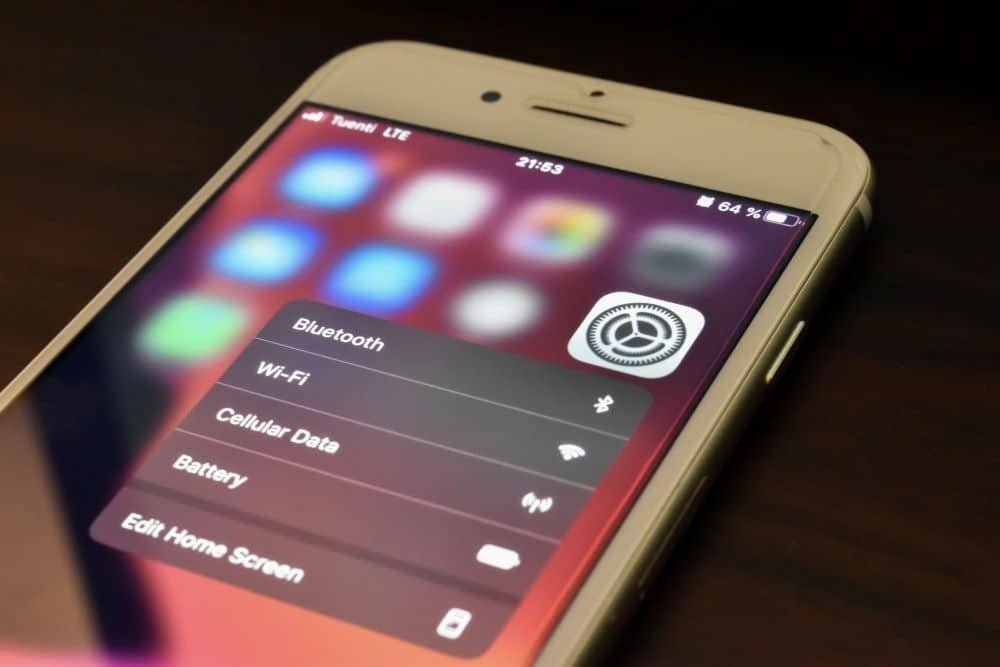
- On iPhone: Settings → Battery → Battery Usage
- On Android: Settings → Battery → Usage
If one app is consuming an unusually high percentage in the background, that’s a software issue. But if usage looks normal, spread across everyday apps, and battery life has clearly dropped over time, you’re likely dealing with battery wear level decline, not an app problem.
Background Apps vs Real Battery Degradation
Here’s the key difference most people miss:
- App-related drain → consistent
- Battery degradation → gets worse over time
If your screen-on time has dropped significantly over a few months without changing your habits, that’s not normal usage, it’s battery performance drop.
When It’s NOT the Battery
There’s one exception. After a major update (iOS or Android), temporary drain can happen. The system re-indexes, apps adjust, and power usage spikes for a short period. But if the issue continues beyond a few weeks, it’s no longer software. At this stage, the signs it’s time to replace phone battery become hard to ignore.
Why Does My Phone Shut Down at 20% or 30% Battery?
Your phone dies at 20–30% and turns back on showing battery left. That’s not a glitch, it’s a failing battery. The issue is voltage instability, where the battery can’t deliver stable power under load, so the system shuts down to protect the device.
Scenario: Sudden Shutdowns
You take your phone out, it’s dead. Plug it in, and suddenly it shows 25%. That gap isn’t normal. It means the battery couldn’t sustain the required output when the phone needed it. In some cases, this happens even at higher percentages. The phone isn’t broken, the battery is.
What’s Actually Happening Inside
As a lithium-ion battery ages, internal resistance increases. So during heavier tasks, calls, GPS, brightness spikes, the voltage drops suddenly.
Your phone’s power system detects that drop and forces a shutdown. That’s why it often happens during usage, not when the phone is idle. This is one of the clearest phone shuts down randomly issues linked to battery failure
Calibration vs Real Battery Damage
Battery calibration can fix incorrect percentage readings, sometimes.
But it does not fix:
- Lost capacity
- Internal resistance
- Actual battery wear
Seeing your phone keeps shutting down after recalibration, That’s usually a battery issue.
When It’s Time to Stop Troubleshooting
If your phone:
- Shuts down above ~15%
- Has already been recalibrated
- Shows inconsistent battery behavior
Then you’re dealing with battery cycle count exhaustion, not a temporary issue. At this point, replacement isn’t optional. It’s the only real fix.
Why Is My Phone Overheating During Normal Use?
A little heat during charging is normal. But seeing your phone heats up during light use or idle, that’s a problem. That’s usually a battery issue; it’s losing efficiency and converting energy into heat, a clear sign of lithium-ion battery degradation.
What’s Really Causing It
As the battery ages, internal resistance increases.
Result:
- More heat
- Faster drain
- Lower performance
Overheating and battery drain often come together.
When It Becomes Serious
When your phone:
- Gets hot without heavy use
- Heats up while idle or charging
- Shows battery swelling symptoms
Stop charging immediately and get it checked. This is no longer normal wear.
Why Is My Phone Charging Slower Than Before?
When your phone suddenly takes much longer to charge, don’t assume it’s just the charger. More often than not, it’s a sign the battery can’t accept power efficiently anymore, a common outcome of aging.
Scenario: Charging Takes Longer Than Usual
A typical case: a phone that used to hit 70–80% within an hour now takes nearly double the time, even with the same fast charger. That usually points to reduced charge intake. As batteries age, they spend less time in fast charging and more time in slow “top-up” mode.
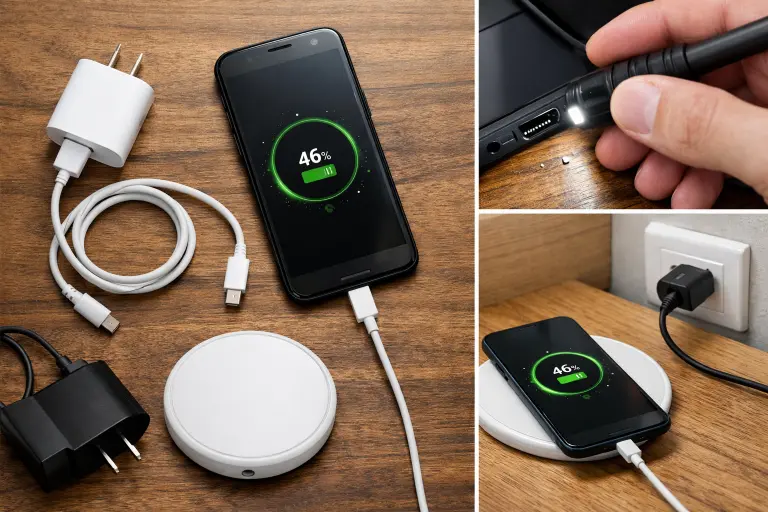
Battery vs Charger vs Port: How to Diagnose
Before blaming the battery, isolate the cause:
- Try a different OEM cable and adapter
- Check the charging port for dust or damage
- Plug into a different outlet
- Test wireless charging (if available)
If performance is still slow across all methods, the issue is likely the battery, not the accessories.
When It’s Clearly the Battery
If your phone:
- No longer fast charges like before
- Takes significantly longer to reach 80%
- Shows inconsistent charging speed
Then the system is likely limiting power to protect a worn battery.
This is often tied to declining battery health percentage, not a faulty charger.
Quick Way to Confirm
Track how much charge you gain per hour and compare it to expected speed.
If it’s consistently lower, even with proper accessories, you’re dealing with slow phone charging issue caused by battery wear, not external factors.
Is 80% Really “Bad”? (Most People Misunderstand This)
80% is a guideline, not a rule.
- Heavy users (video, gaming, GPS) may struggle even at 80%
- Light users may be fine even below 78%
So instead of asking:
“Is my percentage low?”
Ask:
“Is my phone lasting as long as I need?”
That’s what actually matters.
When You Should Replace the Battery
You should seriously consider replacement if:
- Battery drops below ~79% and performance issues appear
- Your phone battery draining fast affects daily use
- You notice shutdowns, lag, or inconsistent behavior
Below ~75%, the battery is usually past recovery. At that point, degradation starts affecting stability, not just battery life.
Why Is My Phone Battery Swelling or Pushing the Screen Out?
If your phone’s screen is lifting or the back panel looks uneven, stop using it normally. This isn’t something to monitor, it’s one of the most serious battery swelling symptoms and a clear sign of failure.
What’s Causing It
Inside a lithium-ion battery, chemical breakdown can produce gas. Over time, that gas builds pressure inside the sealed cell, causing it to expand.
You’ll usually notice:
- Screen slightly separating from the frame
- Back panel bulging
- Phone not sitting flat on a surface
This isn’t cosmetic damage, it’s internal failure.
How Dangerous Is It?
A swollen battery isn’t just a performance issue, it’s a safety risk.
- Mild swelling → urgent repair needed
- Severe swelling + heat → immediate risk
In extreme cases, this can lead to leakage or fire. If your phone overheating issue appears alongside swelling, treat it as urgent.
What You Should Do Immediately
Don’t overthink this, act fast:
- Stop charging the phone
- Power it off (if safe)
- Remove the case
- Keep it away from heat or flammable materials
- Do not press, puncture, or try to fix it yourself
Then get it checked within 24–48 hours.
Where to Get It Fixed Safely
Take it to a certified repair provider like:
- Apple Genius Bar
- Samsung Care
- uBreakiFix
Or any trusted phone repair shop that handles battery replacement and disposal properly.
Why Does My Phone Randomly Restart or Freeze?
If your phone restarts or freezes without warning, don’t jump straight to software issues. More often than not, it’s a failing battery struggling to deliver stable power under load, a common reason behind phone shuts down randomly type behavior.
Scenario: Unstable Performance
A OnePlus 9 user kept facing daily restarts. They reset the phone, reinstalled apps, nothing worked. The real issue? Battery health had dropped significantly. After replacement, the restarts stopped completely. This is one of the most misdiagnosed smartphone battery problems, because it looks like a software bug.
Battery vs Software: Quick Test
Before wasting hours on resets, do this:
- Boot your phone in safe mode
- Use it normally for 24 hours
If restarts stop → app issue. If restarts continue → hardware issue (likely battery) This simple test saves time and avoids unnecessary fixes.
Reset vs Replace (What Actually Works)
- Factory reset → fixes software issues
- Battery replacement → fixes power instability
If your phone still crashes in safe mode, stop troubleshooting software. At that point, the issue is usually voltage instability, not apps or system bugs. These are classic signs of bad phone battery most users overlook.
When to Take It Seriously
If you notice:
- Random restarts during normal use
- Freezing under light tasks
- Combined signs like drain or overheating
Then you’re not dealing with a minor glitch, it’s a failing battery affecting system stability. At this stage, getting it checked by a repair technician or trusted phone repair shop is the practical next step.
Can a Bad Battery Make My Phone Slow?
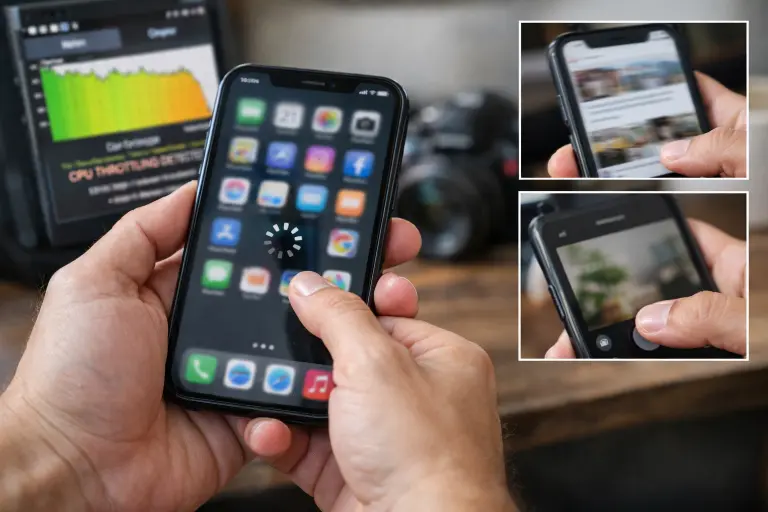
Yes, and most people don’t realize it. A weak battery can directly slow your phone by limiting how much power the processor can use. This is called thermal throttling, and it’s a built-in protection system, not a defect.
What’s Actually Happening
When a battery can’t deliver stable power, the system reduces processor speed to avoid crashes.
Result:
- Apps open slower
- Scrolling feels laggy
- Camera response delays
This is one of the most ignored signs of bad phone battery, because it feels like the phone is just “getting old.”
The Batterygate Reality (Why This Matters)
Apple confirmed degraded batteries reduce performance to prevent shutdowns.
Real Impact (Not Just Theory)
Tests showed performance drops of up to 40–50% on devices with degraded batteries. After replacement, performance returned close to normal. That’s the difference between a phone feeling outdated, and one that feels usable again.
When Slowness Is Actually the Battery
If your phone:
- Feels slower than before
- Shows lag without heavy usage
- Also has drain or heating issues
Then the problem isn’t just age, it’s likely the battery limiting performance.
What Does Battery Health Percentage Actually Mean?
Your battery health percentage shows how much charge your battery can hold compared to when it was new.
For example:
- 79% = shorter battery life + weaker performance
Where to Check
- iPhone → Settings → Battery → Battery Health
- Android → Settings (varies by brand)
- Use tools like AccuBattery for accurate tracking
When It Becomes a Problem
- 80% → still usable
- Below ~79% → noticeable decline
- Below ~75% → replacement usually needed
The real question isn’t the number, it’s whether your phone still lasts long enough for your daily use. This is usually the point when to replace phone battery becomes a real question.
Should You Replace Your Battery or Buy a New Phone?
Most users don’t think about mobile battery lifespan until problems start.
Cost Comparison
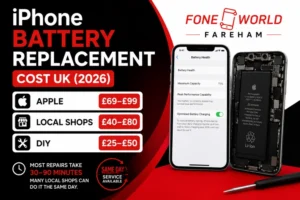
- Battery replacement → £25–£90
- New phone → £350–£1,000
That’s a massive difference for similar daily performance.
When Replacement Makes Sense
- Phone under 4 years old
- Battery is main issue
- No major hardware problems
When to Upgrade Instead
- Multiple parts failing
- No software updates
- Performance issues beyond battery
In most cases, a simple battery replacement gives you another 1–2 years of use.
What Are the Biggest Myths About Phone Batteries?
Most people don’t damage their battery on purpose, they follow outdated advice. These myths lead to faster wear and unnecessary smartphone battery problems.
Charging Myth: “Always charge to 100%”
Reality: Keeping your phone at 100% for long periods stresses the battery.
- Best range → 20% to 80%
- Modern systems (iOS / Android) already optimize this
Charging habits matter more than people think.
Fast Charging Myth: “Fast charging ruins your battery”
Reality: Heat is the real problem, not speed.
Fast charging is safe under normal conditions. But using it in hot environments or thick cases increases wear.
App Closing Myth: “Closing apps saves battery”
Reality: It often does the opposite.
Both iOS and Android manage apps efficiently. Constantly closing and reopening apps creates extra load, not savings.
What You Should Actually Do
- Avoid keeping your phone at 100% for hours
- Keep your device cool while charging
- Let the system manage background apps
If you’re already seeing multiple issues from this guide, changing habits won’t fully fix it, you’re likely dealing with real battery wear.