

There you are, waiting for an important call. Your phone rings, you answer… and nothing. No ringtone, no voice, just silence. When your phone speaker not working hits suddenly, it’s frustrating, especially when you rely on it daily. Sound familiar? You are not alone. Across the UK, many people assume the worst that the speaker is completely damaged. But in reality, most cases are not hardware failures at all.
In reality, most issues come down to simple causes like settings, dust, or minor software glitches.. In other words, before you even think about a repair shop, there is a very good chance you can fix phone speaker issues yourself in just a few minutes.
Executive Summary: Quick Fixes at a Glance
Before getting into the details, here are the fixes that solve most cases straight away:
- Check volume levels — media and call volume are separate settings
- Turn off Bluetooth — your phone may still be connected to another device
- Restart your phone — clears temporary software audio glitches
- Clean the speaker grille — dust and lint can easily block sound
- Reset sound settings — restores default audio behaviour
If these don’t work, the next steps will help you find the cause.
Why is my phone speaker not working suddenly?
It usually feels random. Your phone worked fine yesterday, and now there’s no sound on phone speaker at all. Most of the time, it’s not a serious fault. It’s usually caused by a software glitch, a settings issue, or a blocked speaker grille. True hardware damage tends to happen gradually, not overnight.
Software vs hardware: quick diagnosis
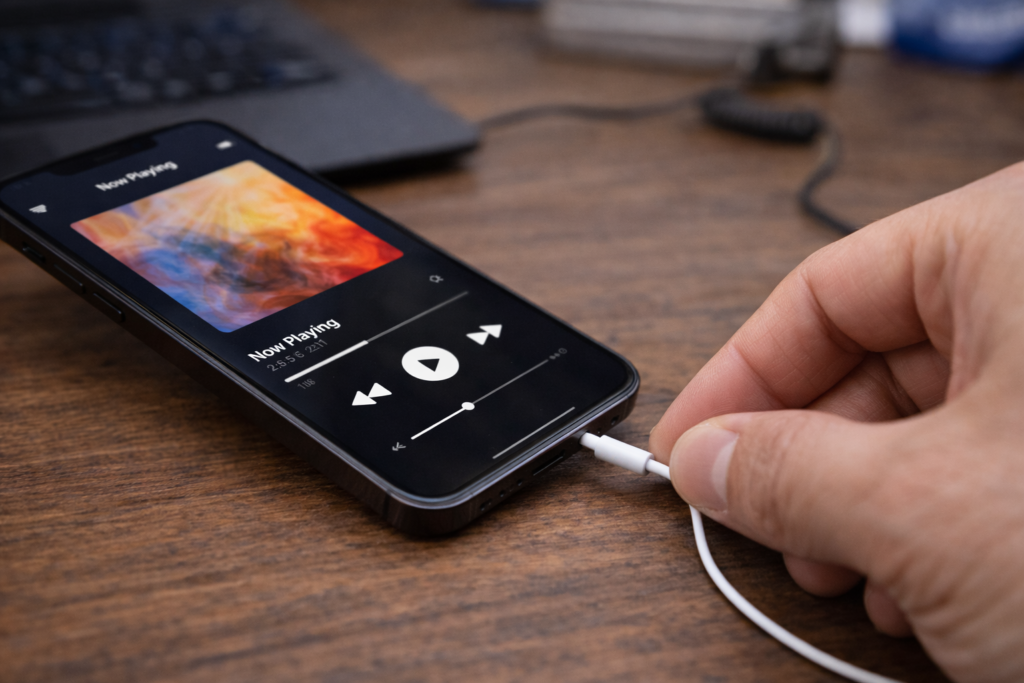
The easiest way to check is simple. Plug in headphones and play audio.
- If sound works through headphones, your speaker is likely fine, and the issue is related to audio routing or settings
- If there is still no sound, the problem may be deeper, such as a software audio bug, firmware issue, or in rare cases, hardware speaker damage
You can also test this by restarting your device or using Safe Mode on Android to rule out third-party apps interfering with sound.
Common causes people ignore
A large number of mobile speaker not working cases come down to small issues people miss:
- Silent mode or Do Not Disturb — easily activated without noticing
- Bluetooth audio conflict — your phone may still be connected to another device
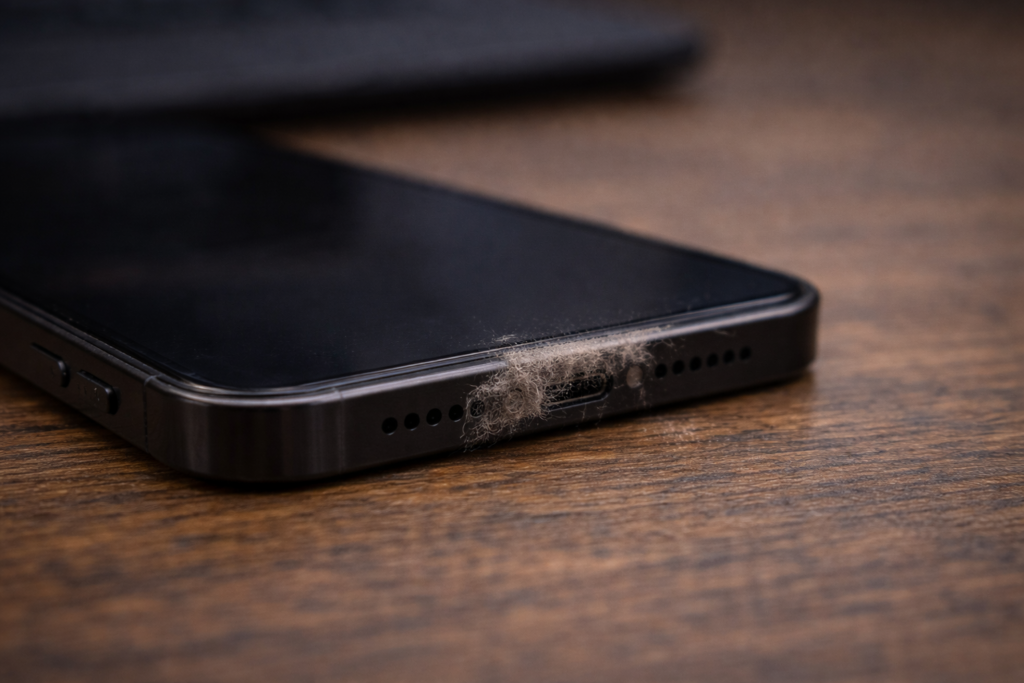
- Dust in phone speaker — even a small blockage can reduce or completely stop sound
In many situations, once you identify the actual cause, it becomes much easier to fix phone speaker problems without needing any repair.
How Can I Test If My Phone Speaker Is Actually Broken?
Jumping straight to a repair shop without testing properly first is an expensive mistake. Here is how to diagnose phone speaker failure accurately at home.
The Headphones Test Method
This is your first port of call. Plug wired headphones directly into your phone’s headphone jack (or use a USB-C or Lightning adapter). Play audio. Clear sound through headphones tells you the audio hardware itself is intact. No sound through headphones at all suggests the problem sits above the speaker level, in the audio driver, firmware, or audio IC.
Built-In Sound Test
Android users have access to hidden diagnostic codes. On Samsung Galaxy devices, dial *#0* in the phone app. A testing menu appears, including a dedicated speaker test. On many other Android phones, try *#7353# to access a sound test function.
For iPhone users, record a short clip on Voice Memos and play it back. If you can record but not play back, the issue is with the loudspeaker specifically, not the microphone.
App-Based Diagnosis
Two apps are worth downloading if you want a proper hardware diagnostic. Phone Doctor Plus (iOS) runs a full suite of hardware checks including speaker output levels. TestM (available on both Android and iOS) tests individual hardware components and gives a pass or fail result for your loudspeaker.
If either app confirms the speaker is failing its output test, you are dealing with physical damage. If it passes, the fix is software-side.
How do I clean a phone speaker safely?
If your speaker sounds muffled or very low, there is a good chance the issue is simply dust or debris. In many cases, you can clean phone speaker openings safely at home and restore sound within minutes.
Step-by-step cleaning method
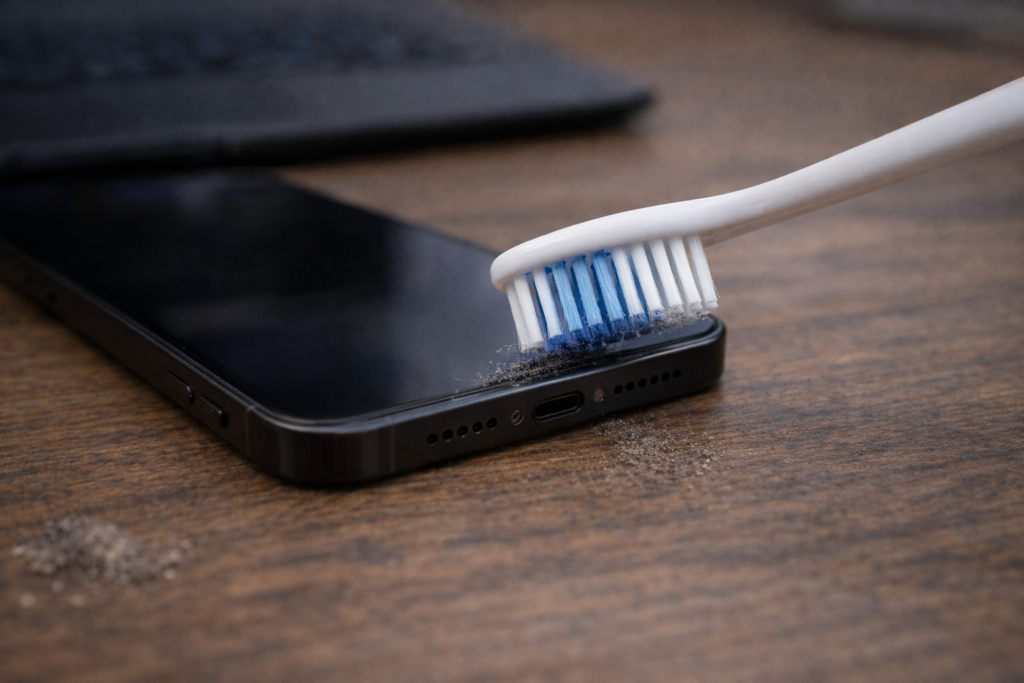
Start by switching your phone off. Take a close look at the speaker grille under a light. If you notice dust in phone speaker areas or lint buildup, that is likely blocking the sound. Use a soft, dry toothbrush and gently brush across the grille. Keep the strokes light and controlled, the aim is to lift debris, not push it inside.
For more stubborn dirt, use a small strip of low-tack tape. Press it lightly onto the grille and lift it away. If needed, use compressed air from a slight angle. Avoid spraying directly into the grille, as this can push debris further in instead of clearing it.
Tools you can use safely
- Soft-bristled dry toothbrush
- Painter’s tape or masking tape
- Compressed air (used carefully)
- Microfibre cloth for outer cleaning
- Isopropyl alcohol (only around edges, not inside)
These simple tools are enough to handle most speaker grille blocked situations without any repair.
What to avoid (common mistakes)
- Do not blow into the speaker — moisture can cause internal damage
- Avoid sharp objects like pins or toothpicks — they can damage the speaker membrane
- Never apply liquid directly into the grille
If done incorrectly, cleaning can lead to speaker distortion phone issues or even permanent damage, so always keep it gentle and controlled.
Why is my phone speaker muffled or low?
If your speaker sounds dull or quiet, the cause is usually simple. Most phone speaker low volume fix cases come down to blockage, moisture, or settings.
Dust and blockage issues
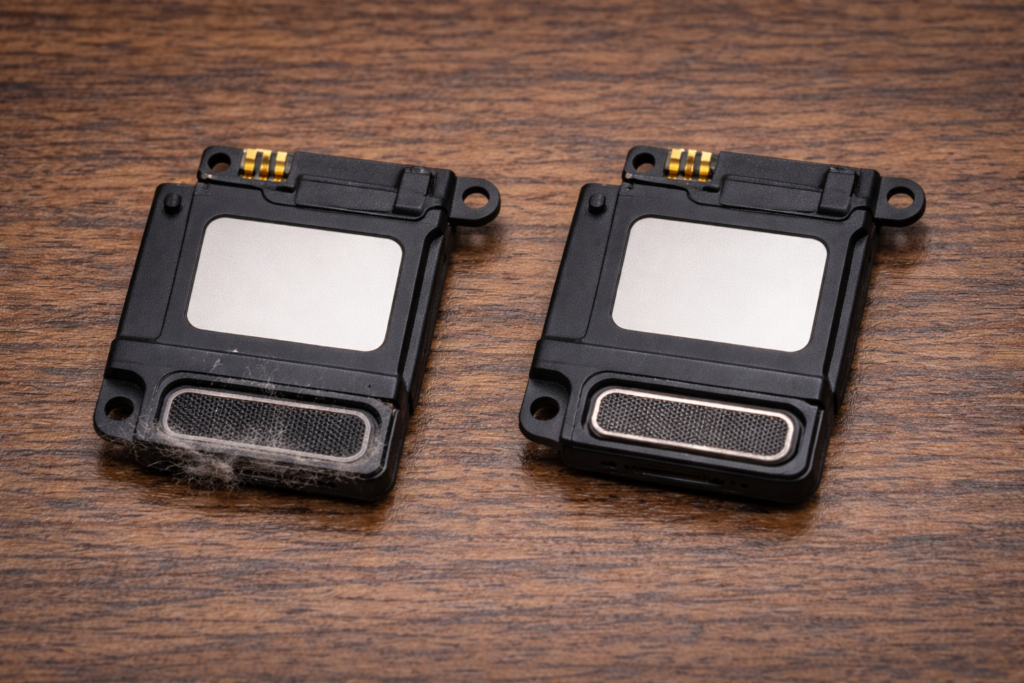
This is the most common cause. A small amount of dust in phone speaker areas or lint inside the speaker grille can reduce output more than you’d expect. If the sound feels weak rather than completely gone, there’s a good chance the speaker grille blocked is the problem. A quick clean often restores normal volume.
Water damage symptoms
Moisture affects how the speaker vibrates, which leads to muffled or slightly distorted sound. If your phone has been exposed to rain, splashes, or humidity, can water damage phone speaker becomes a real concern. In these cases, the sound may feel “bubbly” or uneven rather than fully silent.
Software distortion issues
Not every issue is physical. Sometimes it’s a software audio bug or misconfigured setting.
Check:
- Equaliser settings
- Accessibility audio options (like mono audio)
- Balance levels
A phone speaker after update issue is also common, where settings change after an OS update. Resetting audio settings or adjusting sound profiles can often resolve this quickly.
What to do if phone speaker stopped working after water damage?
Water can affect sound quickly, but early action often prevents permanent damage.
Immediate actions
As soon as your phone gets wet, switch it off. Avoid charging or testing it, this is where most damage happens. Gently wipe the device and remove visible moisture from the speaker grille and ports using a dry cloth. If the screen still responds, you can try a sound-based water ejection tool (like Fix My Speakers), which uses low-frequency vibrations to push water out of the speaker membrane. This method is commonly used in modern devices and can help in mild cases.
Drying methods that actually work
- Silica gel: the most reliable option. Place your phone in a sealed container with silica packets for 24–48 hours
- Avoid rice: it works slowly and can leave dust inside your phone
- Avoid heat: hairdryers or direct sunlight can damage internal components
If done properly, this process can help restore sound without needing a full speaker repair phone service.
When the damage is permanent
If after drying there is still no sound or you notice phone speaker crackling noise, the issue may be internal. Water can cause corrosion in components like the speaker module or audio IC. At that point, it’s best to get it checked by a repair technician or authorised service centre in the UK.
Why does my phone speaker work on calls but not media?
If calls are clear but music or videos have no sound, it usually means only part of your audio system is affected, not the entire phone.
Audio routing issue
Your phone uses two speakers: the earpiece (for calls) and the loudspeaker (for media). If calls work but media doesn’t, the loudspeaker is likely the issue. This is common in cases like phone speaker works on calls but not media or phone speaker not working but headphones do, where audio is still functioning but not routed correctly. Make sure you increase volume while playing media, not during calls.
App-related audio problems
Some apps override system audio settings.If sound fails only in certain apps, try switching to another app to test. Clearing app cache can also fix temporary audio output issues caused by updates or glitches.
Media volume confusion
Your phone separates call and media volume. You can have calls at full volume while media stays muted. Adjust volume while a video or song is playing to fix low media volume phone issues quickly.
Why is my phone stuck on Bluetooth audio?
If your phone suddenly has no sound on phone speaker, it may still be connected to a Bluetooth device without you realising.
Auto-connect issue
Phones often reconnect automatically to previously paired devices like cars or wireless earbuds. This creates a Bluetooth audio conflict, where sound is sent elsewhere instead of your speaker, even if the device isn’t actively in use. Turn Bluetooth off and test again. If sound returns, this confirms the issue.
Reset network settings
If the problem keeps coming back, reset your network settings.This clears saved Bluetooth connections and fixes persistent audio routing errors. You’ll need to reconnect devices afterwards, but it often resolves the issue completely.
Check audio output settings
While playing media, check where your sound is being sent. Some devices let you switch output manually. Make sure it’s set to your phone speaker, not an external device.
How do I fix crackling or distorted speaker sound?
If your speaker sounds rough or uneven, it’s usually a sign of stress or interference, not always permanent damage. Many phone speaker crackling noise issues can be fixed with a few checks.
Common causes of distortion
- High volume stress: Playing audio at maximum volume can strain the speaker and cause distortion. Lower it slightly and test again
- Moisture residue: Even small amounts of water can affect vibration and lead to uneven sound
- Physical impact: A drop can damage the speaker membrane, causing irregular sound
- Software issues: A software audio bug or update can affect sound quality
Quick fixes to try
- Reduce volume to around 70–80%
- Use a sound vibration tool to clear moisture
- Check for system updates
- Test in Safe Mode to rule out app interference
These steps can resolve most speaker distortion phone problems without repair.
When replacement is needed
If distortion continues after these checks, the speaker module may be damaged. In that case, a speaker repair phone service is usually required, especially if the issue started after a drop or water exposure.
Can I fix a phone speaker without opening it?
If your phone speaker stopped working suddenly, the issue is usually software, dust, or moisture not hardware.
Non-invasive fixes that work
You can often fix phone speaker without replacing it by trying simple steps first:
- Reset sound settings
- Turn off Bluetooth
- Use Safe Mode to check app issues
- Clean the speaker grille
- Dry out moisture using safe methods
Mistakes to avoid
Avoiding simple mistakes can save you from turning a minor issue into a full speaker repair phone problem.
- Using sharp objects: Pins or toothpicks can damage the speaker grille and cause permanent hardware issues
- Cleaning with moisture: Wet cotton or blowing into the speaker can lead to internal damage
- Ignoring early signs: If you notice speaker distortion phone or low sound, fix it early before debris builds up
- Forcing DIY repair: Opening your phone without proper tools can cause more damage than the original issue
If you’re unsure, it’s always safer to stop early and consider professional repair instead of making the problem worse.
How much does phone speaker repair cost?
If basic fixes don’t work, you may need a repair. Here’s a realistic UK cost breakdown so you know what to expect before paying for a speaker repair phone service.
DIY repair cost
For Android devices, replacement speaker parts usually cost £8–£25, with basic tools around £10–£20.
- Total DIY cost: £15–£45
- iPhone parts: typically £12–£40, but repairs are more complex
DIY can save money, but only if you’re confident handling small components.
Professional repair cost
In the UK, most repair shops charge:
- £40–£80 for Android devices
- £50–£120 for iPhones (depending on model and service provider)
If your device is under warranty, the repair may be free — always check first.
Repair vs replace: what makes sense?
A simple rule: if repair costs more than 40% of your phone’s value, replacement is often the better option. For older devices, spending £60–£80 may not be worth it. But for newer phones, repair is usually the smarter and cheaper choice.
Troubleshooting decision tree
Use this quick flow to identify the issue and fix your phone speaker not working problem faster.
No sound at all?
- Bluetooth on? → Turn it off and test
✔ Fixed → Bluetooth audio conflict - Still no sound? → Restart or force restart
✔ Fixed → Software audio bug - Still not working? → Check all volume settings
✔ Fixed → low media volume phone - Still no sound? → Test in Safe Mode
✔ Fixed → third-party app issue - Still no sound? → Plug in headphones
✔ Sound works → hardware speaker damage - No sound even with headphones?
→ Possible audio IC or system issue → seek professional repair
Sound is muffled or low?
- Phone exposed to water?
→ Use drying methods (sound vibration tool + silica gel) - No water exposure?
→ Clean phone speaker (dust or blockage likely) - Sound still unclear?
→ Check audio settings (equaliser / mono audio) - Distortion continues?
→ Likely speaker distortion phone → repair may be needed