

You drop your phone in water, sink, rain, or a quick slip into a pool. You dry it, turn it on… and then it hits you: “No Service.” No calls, no data, no signal bars. That’s when the panic starts, because now you’re completely cut off. If your phone signal not working after water damage, this isn’t something to ignore or guess your way through. It could be a minor SIM issue, or deeper internal damage affecting the antenna or baseband. Here’s a clear path to fix it without wasting time or making it worse.
Executive Summary (Quick Fix Steps)
If your phone has no signal after water exposure, act fast and follow this sequence:
- Power off immediately — prevents short circuits and internal damage
- Remove SIM and tray — dry both fully before reinserting
- Dry the phone properly — use air drying or silica gel (skip rice)
- Wait 24–48 hours — don’t power it on too early
- Reinsert SIM and check signal — look for network detection
- Reset network settings — fixes software-related issues
- Test with another SIM — helps identify the root cause
- Escalate if needed — likely antenna, SIM reader, or baseband damage
Why does water damage cause phone signal loss?
Water doesn’t just block signal. It interferes with the parts that keep your phone connected. Even small moisture inside can disrupt how the phone detects and holds signal.
Executive Summary (Quick Fix Steps)
The antenna (RF modules) handles signal transmission. When moisture gets in, it interferes with that process, leading to weak signal, drops, or no signal at all. If corrosion starts forming, the issue gets worse.
Baseband chip damage (critical but ignored)
The baseband chip manages calls, data, and network connection. If it’s affected, the phone may stop detecting the network completely.
Common signs:
- No service
- Searching for network
- IMEI missing
This usually means hardware damage, not something a simple fix will solve.
SIM card and tray corrosion
The SIM card and tray are exposed areas where water often enters. Corrosion on the contacts can block the connection.
You might notice:
- SIM not detected
- Signal dropping
- “No SIM” or “No Service”
This is one of the easier issues to fix, if handled early.
Component vs Symptom vs Fix
Component | Common Symptom | Likely Fix |
Antenna / RF | Weak or no signal, fluctuating bars | Drying or antenna repair |
Baseband Chip | No service, IMEI missing, no network | Professional board-level repair |
SIM Card / Tray | SIM not detected, no service | Clean or replace SIM |
Motherboard Path | Random signal drop, network instability | Deep cleaning or repair |
What should you do immediately after your phone gets wet?
Speed matters here. The first few minutes decide whether your phone recovers or develops deeper signal issues.
First 60 seconds (critical actions)
- Turn off your phone immediately — stops short circuits
- Remove the SIM card and tray — prevents moisture from affecting contacts
- Keep it away from charging — electricity + water = internal damage
Don’t check signal, don’t test calls, just shut it down and isolate it.
Mistakes that make signal damage worse
- Charging too early can damage the baseband or motherboard
- Using heat (hairdryer, heater) — pushes moisture deeper inside
- Pressing buttons repeatedly — spreads water across internal circuits
Most water damaged phone no service cases get worse because of these mistakes, not the water itself.
How do you properly dry your phone to restore signal?
The real problem is moisture trapped inside, and that’s what usually affects signal.
Air drying vs silica gel (best methods)
- Air drying — leave your phone in a dry, open space. It takes time, but it’s safe
- Silica gel — works faster by pulling moisture out from inside
If you have silica gel, use it. If not, air drying still works, just give it enough time and don’t rush it.
Why rice is ineffective (myth busting)
Rice is a common suggestion, but it doesn’t do much. It absorbs very slowly and can leave dust inside your phone. In some cases, it makes things worse instead of helping.
Drying Method Comparison
Method | Effectiveness | Risk Level | When to Use |
Rice | Low | Medium (dust) | Only if nothing else is available |
Silica Gel | High | Low | Best option for proper drying |
Air Drying | Medium | Low | Safe and reliable method |
Water doesn’t just block signal. It interferes with the parts that keep your phone connected. Even small moisture inside can disrupt how the phone detects and holds signal.
How long should you wait before turning your phone back on?
Turning it on too early is one of the main reasons a working phone turns into a water damaged phone no service problem.
24 vs 48 vs 72 hours
- 24 hours — only if it was light exposure (rain or small splash)
- 48 hours — safer for moderate water contact
- 72 hours — best if the phone was submerged (sink, pool, etc.)
If you’re unsure, wait longer. Turning it on early can trigger internal damage that wasn’t there before.
Signs phone is safe to power on
- No visible moisture in camera lens or screen
- SIM tray and ports feel completely dry
- No fogging or condensation inside
Even then, power it on once, don’t keep restarting it repeatedly if the signal doesn’t come back.
Why does your phone show “No Service” after water exposure?
This is where things get more technical. “No Service” isn’t a random error, it usually means your phone can’t properly connect to the network anymore.
Network IC / baseband failure
The baseband (network IC) handles all communication with your carrier. If water reaches this area, the phone may still turn on, but it won’t detect any network.
Common signs:
- Constant “No Service”
- Stuck on “Searching…”
- No signal bars at all
This is usually hardware damage, not something a reset can fix.
Carrier detection issues
Sometimes the phone can’t read or connect to the carrier network properly after water exposure. This can happen due to:
- Weak antenna connection
- SIM reader issues
- Internal corrosion affecting signal paths
You might see unstable signal or random drops instead of complete loss.
IMEI / signal registration issues
In more serious cases, the phone loses its identity on the network. The IMEI may become unavailable, which means the device can’t register with any carrier.
Typical signs:
- IMEI shows as null or missing
- “No Service” even with a working SIM
- Network not registering at all
At this point, it’s no longer a simple fix, this usually needs professional repair.
How do you fix SIM card issues after water damage?
SIM-related issues are one of the most common and fixable reasons behind signal loss after water exposure. If your phone shows no service after water damage, start here before assuming deeper hardware problems.
Step-by-step SIM cleaning
- Inspect first — check for moisture, dirt, or discoloration on the SIM and tray
- Clean with isopropyl alcohol (IPA) — lightly wipe the metal contacts using a soft cloth or cotton swab
- Dry and reinsert — let it dry fully, then place it back securely
Scratching or over-cleaning can damage the contacts.
When to replace SIM
- SIM isn’t detected at all
- Signal keeps dropping even after cleaning
- Works in another phone but not consistently
Replacing the SIM is faster and cheaper than chasing the issue further.
Can resetting network settings restore phone signal?
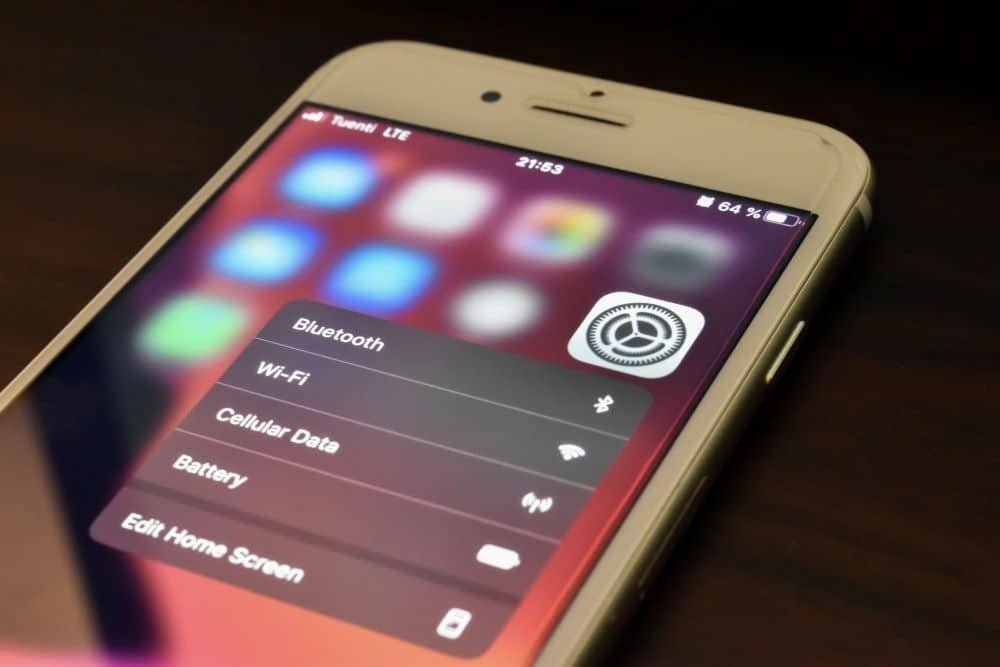
Sometimes after water exposure, the phone just stops connecting properly, even when the hardware isn’t completely damaged. In those cases, resetting network settings can bring the signal back.
Android steps
Open Settings, go to System, then Reset options, and choose Reset Wi-Fi, mobile & Bluetooth.
Confirm it and restart the phone once it’s done.
iPhone steps
Go to Settings → General → Transfer or Reset iPhone → Reset → Reset Network Settings.
Enter your passcode and let the phone restart.
When this works vs fails
If your SIM is detected but the phone won’t connect, or the signal keeps dropping, this step can fix it. It basically clears out broken network settings and forces the phone to reconnect from scratch.
But if there’s no SIM detected, or it keeps showing “No Service” no matter what you do, then this won’t help. That usually points to internal damage, not a settings issue.
Software vs Hardware (Quick Check)
Situation | What it likely means | What to try |
SIM shows but no connection | Software issue | Reset network settings |
Signal comes and goes | Minor issue | Reset + SIM check |
No SIM detected | Hardware problem | Check slot / repair |
Always “No Service” | Hardware likely | Needs inspection |
Can resetting network settings restore phone signal?
Before trying more fixes, check where the issue is. Otherwise, you’ll just repeat the same steps.
Diagnostic checklist
Start simple:
- Does the SIM card show in settings?
- Do you see any signal bars, even briefly?
- Can the phone detect networks but fail to connect?
If there’s some response, it’s usually a minor or settings issue. If there’s nothing at all, it’s likely deeper.
SIM swap test
Put your SIM in another phone.
- If it works there → your phone has the issue
- If it doesn’t → the SIM or carrier is the problem
You can also try a different SIM in your phone to confirm.
Red flags
- IMEI missing or showing null
- No SIM detected
- Stuck on “No Service”
These usually point to internal damage, often the baseband or antenna, and won’t be fixed with basic steps.
Should you use a signal booster for a water-damaged phone?
In most cases, no, it won’t solve the actual problem.
When it helps
If your phone still picks up some signal but it’s weak or keeps dropping, a booster can make it a bit more stable. It doesn’t fix anything inside the phone, it just strengthens what’s already there.
When it’s useless
If there’s no signal at all, SIM isn’t being detected, or the phone can’t connect to the network after water exposure, a booster won’t change that. Issues like antenna damage or baseband faults need fixing first, otherwise there’s nothing to boost.
iPhone vs Android: which handles water damage better?
There’s no clear winner. Both can handle minor exposure, but neither is truly safe once water gets inside.
IP67/IP68 reality
Ratings like IP67 or IP68 sound reassuring, but they only apply under controlled conditions. Real-world exposure, pressure, time, or salt water, doesn’t follow those limits. Once water gets past the seals, signal issues can still happen on both iOS and Android devices.
Repairability differences
- iPhone — tightly sealed, harder to open, repairs usually cost more
- Android (e.g., Samsung Galaxy, Google Pixel) — varies by brand, some models are easier to service
Either way, internal corrosion is the bigger problem, not the brand.
Signal recovery comparison
If the damage is light, both recover similarly after proper drying and SIM checks. But once internal components are affected, especially antenna or baseband areas, recovery depends on repair, not the device type.
When should you go to a repair technician?
At some point, trying more fixes just wastes time. If your phone signal not working after water damage even after drying, SIM checks, and a reset, you’re likely past the DIY stage.
DIY vs professional boundary
You can handle:
- Drying the phone properly
- Cleaning the SIM and tray
- Resetting network settings
But if there’s still no signal, or the phone can’t detect the network at all, it’s no longer a simple fix.
What technicians actually do
This isn’t guesswork on their end. A good repair tech will:
- Clean the board properly (often with ultrasonic cleaning) to remove corrosion you can’t see
- Check and repair signal paths, antenna lines, connectors, or damaged components
- Test network circuits to confirm if the baseband area is working or not
That’s the level where most signal issues get resolved, or confirmed as unfixable.
Cost breakdown
Option | Typical Cost Range | When it makes sense |
DIY | Low / Free | Minor exposure, early-stage issue |
Repair | Medium | Antenna, SIM reader, or board issues |
Replace | High | Severe damage, baseband failure |
When should you go to a repair technician?
Case 1: Signal restored after drying + SIM clean
A phone dropped in water was powered off quickly, left to dry for two days, then the SIM was cleaned and reinserted. The signal came back without any repair.
This usually happens when moisture hasn’t spread deep inside and the issue stays around the SIM or contact points.
Case 2: Needed antenna repair
Another case looked similar at first, same “No Service” issue, but nothing worked after drying, SIM checks, or reset. It turned out the antenna line had been affected by moisture and needed repair.
Expert insight (repair technician perspective)
- If the phone shows any response (SIM detection or brief signal), it’s often recoverable.
- If there’s no response at all, it usually means deeper internal damage.
How can you prevent signal loss from water damage in the future?
In most cases, it comes down to small mistakes that are easy to avoid.
Waterproof cases
A waterproof case helps, especially around ports and edges where water usually gets in. It’s not a guarantee, but it does lower the chances of moisture reaching parts like the antenna or SIM area.
Handling habits
A lot of damage happens in everyday situations, using your phone with wet hands, near sinks, or in light rain. It doesn’t feel risky in the moment, but that’s usually how water gets inside.
Pre-risk checklist
- Keep your phone away from water where you can
- Don’t fully trust water resistance ratings
- Don’t plug it in if there’s any chance it’s still damp
- Let it dry properly before using it again
How can you prevent signal loss from water damage in the future?
Most people rush it or try random fixes, and that’s where things go wrong. Remove completely (no value). Power it off early, take the SIM out, and give it time to dry properly. That alone fixes a lot of cases. After that, try the basics, clean the SIM, put it back, and check if the phone reconnects. If it shows some signal but doesn’t stay connected, it’s usually a minor issue, not full damage. But if nothing changes, no signal, no SIM detection, then it’s likely something inside has been affected. At that point, trying more things won’t help much. You either get it repaired or start thinking about replacement.
Don’t rely on myths. Focus on drying it properly, checking the basics, and then deciding what to do next.
FAQs
Can water damage permanently kill a phone signal?
Yes, it can. If water reaches parts like the baseband chip or antenna, the signal may not come back without repair. Light exposure is often fixable, deep internal damage usually isn’t.
Will the signal come back after drying?
It can, especially if the issue is just moisture around the SIM card or contacts. If there’s no improvement after proper drying, the problem is likely deeper.
Does rice fix signal issues?
Not really. Rice is slow and unreliable. It might help slightly in mild cases, but it doesn’t deal with internal moisture properly, so signal problems often remain.
Can a SIM card cause no service?
Yes. A wet or corroded SIM can stop the phone from connecting to the carrier network. Cleaning or replacing it often fixes simple cases.
What is baseband chip damage?
It’s damage to the part of the phone that handles network communication. If this chip is affected, the phone won’t register on the network, no calls, no data, no signal.
How long should I wait before turning phone on?
At least 24 – 48 hours for minor exposure. If the phone was submerged, closer to 72 hours is safer. Turning it on early is where many problems start.
Can I fix signal without repair?
If it’s a minor issue, like moisture, SIM problems, or settings, you can. But if the phone still won’t connect after the basic steps, DIY won’t take you further.
Why does IMEI disappear after water damage?
Because the phone can’t communicate properly with its network system. This usually points to baseband or board-level damage, not something a reset will fix.
Should I reset network settings?
Yes, but only after drying and checking the SIM. It helps if the phone detects the network but won’t connect properly.
When should I replace my phone?
If repair costs are close to the phone’s value, or if the phone motherboard is badly affected, replacement makes more sense.
Can the carrier help restore signal?
Sometimes. In the UK, providers like Vodafone or EE can refresh your connection or issue a new SIM. But they can’t fix hardware damage.
How much will the repair cost?
It depends on the fault. SIM or minor cleaning is cheap. Antenna or board repair costs more. Baseband issues are usually the most expensive, and not always worth fixing.