

According to industry reports, over 50 million phone screens crack every year. That is not a small number. Chances are, you have dropped your phone at least once and felt that stomach-dropping moment before flipping it over.
Here is the reality. A small smartphone repair issue that costs $30 to fix today can turn into a $200 problem in two months if ignored. Most people either panic and rush to buy a new phone or delay the repair until the phone completely stops working. Neither option is smart.
This phone repair guide walks you through the 5 most common phone problems, what causes them, how to fix them, and when to stop wasting money on repairs and just replace the device. Whether you are searching for a phone repair near you or thinking about fixing it yourself, this guide gives you the clarity to make the right call.
Why Do Smartphones Break So Easily Today?
Modern phones are engineering marvels packed into thin glass and aluminum shells. That thinness and lightness come at a cost.
Daily habits that cause hidden damage:
- Keeping phones in back pockets (pressure cracks on LCD or OLED display)
- Charging with cheap third-party cables that damage the charging port
- Using phones in extreme heat or cold
- Skipping a screen protector or phone case
Beyond physical habits, software issues on smartphones also degrade performance over time. Bloated apps, outdated operating systems, and uncleared caches all pile up and cause slowdowns that feel like mobile hardware problems but are actually fixable without any tools.
The other hidden killer is cheap spare parts. Many third-party repairs use low-quality components that fail within months, making the phone worse than before.
What Are the Most Common Smartphone Repair Issues?
Before diving into fixes, here is a quick overview of the top 5 mobile phone repair issues most technicians see every single day.
Issue | Difficulty to Fix | Average Cost |
Cracked screen | Medium | $50 to $300 |
Phone battery draining fast | Easy to Medium | $30 to $100 |
Phone not charging fix | Easy to Medium | $10 to $80 |
Phone overheating problem | Easy | Free to $50 |
Phone speaker not working | Medium | $20 to $80 |
The most expensive issue is almost always a cracked screen, especially on premium models. The easiest issues to fix yourself are battery drain and overheating, because most of the solutions are software-based.
How to Fix a Phone Screen Crack Without Making It Worse
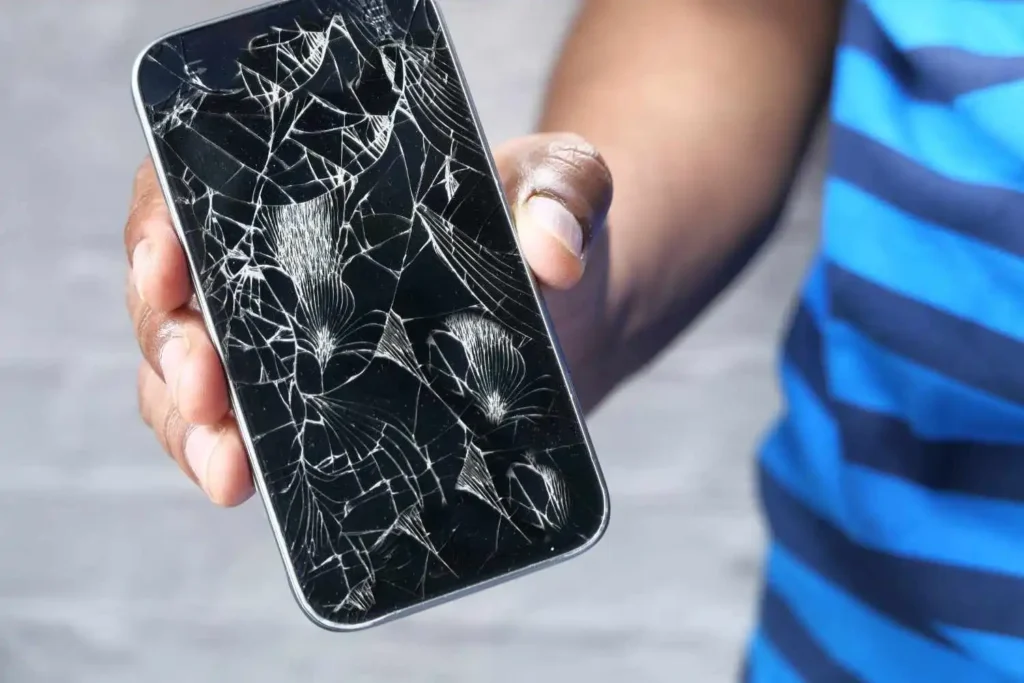
A cracked screen is the number one reason people walk into a phone repair shop. It is also the most mishandled repair.
Symptoms of phone damage from a cracked screen:
- Visible spider web cracks across the touchscreen
- The touchscreen is not responding to touch in certain areas
- Black spots or bleeding ink under the glass (LCD damage)
- Bright lines running vertically across the display
Temporary fixes you can try at home:
If the crack is minor and the screen still works, here is what to do while you arrange for professional help:
- Apply clear packing tape over the crack to prevent glass splinters
- Avoid pressing hard on the cracked area
- Back up your data immediately using cloud storage or a computer
These are not permanent solutions. They only buy you time.
When screen replacement is necessary:
If the touchscreen is not responding, if you see black ink spreading, or if the crack reaches the edges, the LCD display or OLED display underneath is likely damaged. At that point, temporary fixes will not help.
Cracked screen repair cost breakdown:
- Budget Android phones: $40 to $80
- Mid-range Android: $80 to $150
- iPhone 14 or 15: $200 to $320
- Screen replacement near you, at a local shop, like Fone World is usually 30% cheaper than going to the manufacturer
This is one repair where a technician vs DIY repair is a serious consideration. Opening a modern phone without a screwdriver kit and suction cup tool can cause additional damage to the motherboard or internal cables.
Why Is My Phone Battery Draining Fast and How to Fix It?
Why is my phone battery draining so fast suddenly? This is one of the most searched questions in mobile troubleshooting, and the answer is seldom what people expect.
Signs of battery failure:
- The phone drops from 80% to 20% within an hour of light use
- The phone shuts down even when showing 15% to 20% battery
- Battery swells (visible bump on the back of the phone)
- The phone gets unusually warm while charging
Battery replacement guide for when software fixes do not work:
If the phone is over two years old and battery health is below 80%, replacement is the right call. A new battery costs $30 to $80 at most repair shops and gives the phone another one to two years of solid performance. This is a classic case in the repair vs replace phone debate, where repair clearly wins.
What to Do When Your Phone Is Not Charging Properly
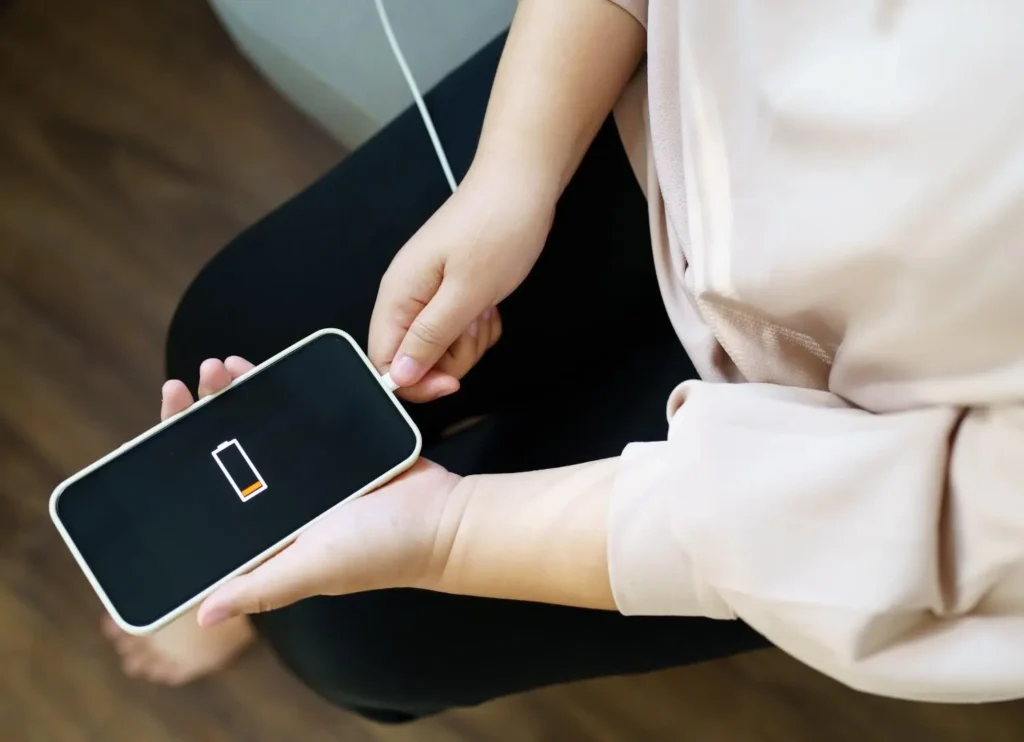
How to fix a phone not charging even when plugged in is a question with multiple possible answers, and jumping to conclusions can cost you money.
Charging port dust issue
The most overlooked cause is lint and dust particles packed into the USB-C port or Lightning port. Over months of carrying your phone in your pocket, the port gets completely blocked, and the cable cannot make proper contact.
Fix: Use a wooden toothpick or a soft brush to gently clean the port. Do not use metal objects. After cleaning, try charging again. Many people who think they need a charging port repair just need to clean the port.
Cable vs adapter issue
Before assuming the port is broken, test with a different cable and adapter. A damaged cable is responsible for nearly 40% of charging problems.
When a charging port replacement is needed
If cleaning and cable swapping do not work, and the phone still does not charge, the port itself may be damaged. Charging port repair at a local shop typically costs $40 to $80, depending on the model.
Can I fix my phone’s charging port myself? Technically, yes, but it involves soldering on most modern phones. Unless you have experience with electronics, this is one job worth leaving to a professional.
How to Fix Phone Overheating Problem Quickly
Why phone overheating happens is a question with a surprisingly simple answer most of the time: the processor is being pushed too hard.
Common causes of overheating:
- Running heavy games or video streaming for extended periods
- Charging while using the phone
- Outdated apps are creating software bugs
- Direct sunlight exposure
- Protective cases trapping heat
Immediate cooling steps:
- Close all open apps and let the phone rest for 10 minutes
- Remove the phone case temporarily
- Move the phone out of direct sunlight
- Turn off Wi-Fi, Bluetooth, and mobile data briefly
Long-term solutions for how to fix an overheating phone quickly:
If the phone overheats regularly, check for apps running poorly in the background, update your Android or iOS version, and avoid charging with unofficial chargers. Persistent overheating can damage the motherboard and accelerate lithium-ion battery wear, so do not ignore this issue.
Why Is My Phone Speaker Not Working and How to Fix It?
Why is my phone speaker not working during calls is usually caused by one of three things: water damage, dust particles blocking the speaker grille, or a software glitch.
Quick diagnostic steps:
- Play audio through headphones. If sound works fine through headphones, the hardware speaker is damaged
- Check volume settings and Do Not Disturb mode
- Restart the phone to rule out temporary software bugs
- Try a different app to rule out app-specific issues
Water damage or dust blocking the speaker:
If water recently entered the phone, the speaker or microphone may be temporarily affected. Place the phone in a dry environment, avoid using a hair dryer directly on it, and let it air dry for 24 to 48 hours.
For dust particles blocking the grill, use a soft, dry toothbrush to gently clean the speaker area. Avoid compressed air at close range, as it can push debris deeper.
When to replace the speaker:
If none of the above works, the speaker unit itself may be physically damaged. Speaker replacement costs $20 to $60 at most repair shops.
Should You Fix Your Phone Yourself or Go to a Phone Repair Shop?
This is the core question in smartphone troubleshooting, and the honest answer is that it depends on the repair.
DIY phone repair pros and cons:
Pros:
- Lower cost
- Convenient for simple fixes
- Good for software issues and cleaning
Cons:
- Risk of voiding warranty
- Can cause further damage without proper tools for phone repair
- Harder on newer sealed phone models
When professional repair is safer
Complex repairs like screen replacement on sealed phones, motherboard issues, water damage recovery, and charging port soldering should be handled by a certified repair technician. The warranty impact of DIY repairs is also worth considering. Opening the device yourself may void any remaining manufacturer’s warranty.
For anything beyond cleaning or basic software glitch fixes, find a trusted mobile repair shop rather than risk turning a small problem into a broken phone solution that ends with buying a new device.
How Much Does Smartphone Repair Cost in 2026?
Repair costs vary significantly by model and repair type. Here is a general breakdown to help with cost of repair vs new phone decisions:
Repair Type | Budget Phone | Mid-Range | Premium Phone |
Screen repair | $40 to $70 | $80 to $150 | $180 to $320 |
Battery replacement | $25 to $40 | $40 to $70 | $70 to $100 |
Charging port repair | $30 to $50 | $50 to $80 | $70 to $120 |
Speaker replacement | $20 to $40 | $40 to $60 | $60 to $90 |
Water damage recovery | $50 to $80 | $80 to $150 | $150 to $250 |
Cheap phone repair options are widely available at independent local shops and are often significantly less expensive than going directly to the manufacturer or a carrier store.
How Long Does Phone Repair Take?
Repair time estimates depend on the type of repair and the availability of parts.
Same day repairs (1 to 2 hours):
- Screen replacement (in stock parts)
- Battery replacement
- Basic cleaning and diagnostics
Repairs taking 1 to 3 days:
- Charging port soldering
- Speaker replacement
- Software recovery
Repairs taking 3 to 7 days or more:
- Water damage recovery and corrosion treatment
- Motherboard-level repairs
- Ordering specific spare parts for rare models
When time matters, always call ahead to confirm part availability before visiting a shop.
What Tools for Phone Repair Do You Actually Need?
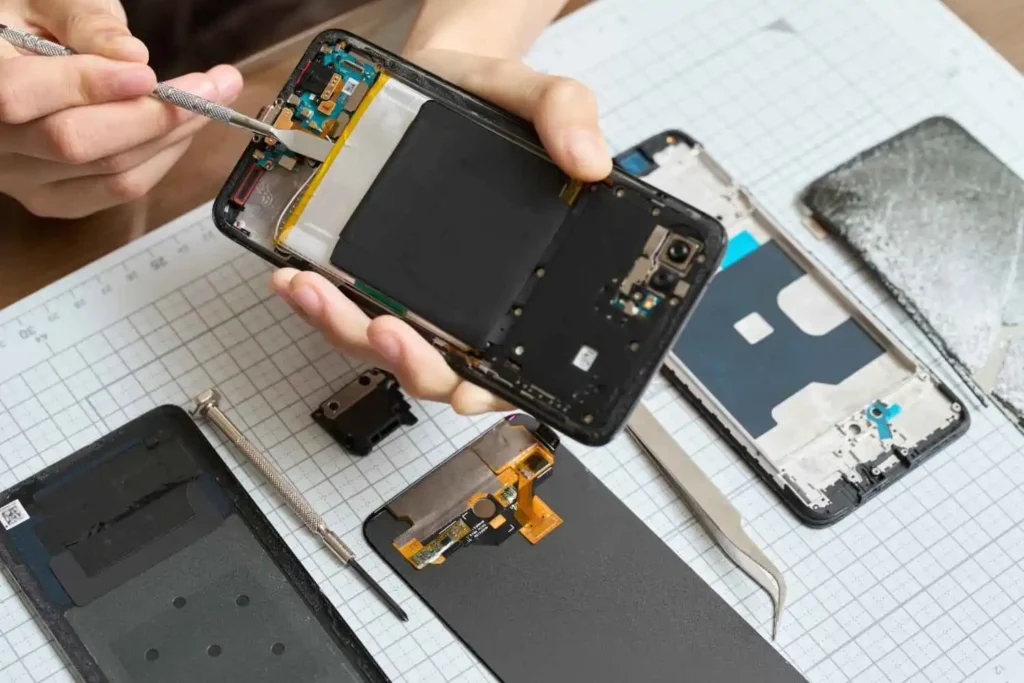
If you plan to handle simple DIY phone repair tasks, having the right repair tools is essential.
Basic repair toolkit for beginners:
- Precision screwdriver kit (Phillips and Pentalobe heads)
- Plastic pry tools and spudgers
- Suction cup tool for screen removal
- Tweezers with non-conductive tips
- Screen protector application kit
- Isopropyl alcohol and cleaning swabs
Avoid buying the cheapest possible kits. Low-quality tools strip screws and break internal clips, turning a simple repair into a complex one.
Common Repair Mistakes to Avoid
Even experienced people make these errors. Learning them now saves you from costly mobile repair tips that go wrong.
- Applying too much force during the pry-open procedures
- Forgetting to disconnect the battery before working on internal components
- Losing tiny screws by not organizing them during disassembly
- Using water or harsh cleaners near internal components
- Skipping data backup before any repair
Data loss prevention should always come first. Before handing your phone to anyone or opening it yourself, back up everything to cloud storage or a computer.
When Is It Better to Replace Your Phone Instead of Repairing It?
This is where most phone diagnostic tips and repair guides fall short. Not every phone deserves to be repaired.
Replace instead of repair when:
- The repair cost exceeds 50 to 60% of the phone’s current market value
- The phone is more than 4 years old and already shows performance issues beyond repair
- Multiple mobile hardware problems exist simultaneously
- The operating system no longer receives security updates
- Phone not turning on after motherboard failure
The repair vs replace smartphone decision guide is simple: if the phone has a single fixable problem and is relatively recent, repair it. If it has multiple issues and the software support has ended, a replacement is the smarter long-term investment.
How to Prevent Smartphone Damage in the Future
The best phone repair guide is the one that helps you avoid needing repairs in the first place.
Protective habits that work:
- Always use a quality phone case and screen protector
- Keep the USB-C port or Lightning port clean by checking it monthly
- Avoid charging overnight repeatedly, as it stresses the lithium-ion battery
- Keep your Android or iOS software updated
- Never place the phone on the car dashboard or in direct sunlight
Final Thoughts
Most smartphone repair issues are fixable, affordable, and faster to resolve than people assume. The mistake most people make is waiting too long or making rushed decisions driven by panic.
A cracked screen does not mean your phone is ruined. A fast-draining battery does not mean you need a new device. Start with the simple steps in this guide, assess the real cost, and make a decision based on value rather than frustration.
If you are searching for a phone repair near you, look for certified technicians with clear pricing, part warranties, and good reviews like FoneWorld. A good repair shop should offer repair time estimates upfront and explain the cost of repair vs a new phone honestly.
Fix what is fixable. Replace only when the numbers make sense.
Frequently Asked Questions
What is the most common smartphone repair issue?
Honestly, cracked screens top the list every single time. After that, it is usually phone battery draining fast or charging issues. These are the most common mobile phone repair issues technicians deal with daily.
How much does phone screen repair cost?
It really depends on your device. Budget Android screens start around $40, while premium models with OLED display panels can reach $320. Cracked screen repair cost also varies between local shops and authorized centers, so always compare before deciding.
Can I fix my phone myself?
For simple stuff like cleaning a charging port or adjusting software settings, yes. But for screen replacements or motherboard work, DIY phone repair without the right tools for phone repair can cause more damage than the original problem.
Why is my phone battery draining fast?
Usually, it is background apps, high brightness, or an aging lithium-ion battery. Check your battery settings first. If the phone is over two years old and drops charge rapidly, battery replacement is likely the smarter fix over any software tweak.
How long does phone repair take?
Screen and battery replacement are usually done the same day, often within an hour or two. Water damage recovery and motherboard repairs take longer, anywhere from 3 to 7 days, depending on parts availability and the extent of internal corrosion.
Is it cheaper to repair or replace a phone?
For most people, repair wins. If your phone is under 3 years old and has one fixable issue, fixing it saves real money. A good rule in the repair vs replace phone decision is this: if the repair exceeds 40% of the phone’s current value, start thinking about replacing it.
Can a water-damaged phone be repaired?
Yes, and often successfully if you act fast. The moment your phone gets wet, power it off and do not plug it in. Get it to a phone repair shop within 24 hours. The faster a technician can treat the corrosion, the better your chances of a full recovery.
Does the repair void the warranty?
DIY phone repair almost always voids your manufacturer’s warranty. If your device is still under coverage, go to an authorized center. It costs more but protects your warranty and ensures genuine spare parts are used in the repair.
How do I recover data from a broken phone?
If the touchscreen still responds, connect it to a computer immediately and back everything up. If the screen is completely dead, a professional repair technician can often pull your data during the repair. This is exactly why data backup to cloud storage should be a regular habit.
Why is my phone slow and lagging?
The most common causes are a full storage drive, too many background apps, or an outdated operating system. Start by clearing cached data and uninstalling apps you rarely use. Restarting your phone weekly also helps more than most people realize. If nothing works, it may be a hardware issue worth getting diagnosed.